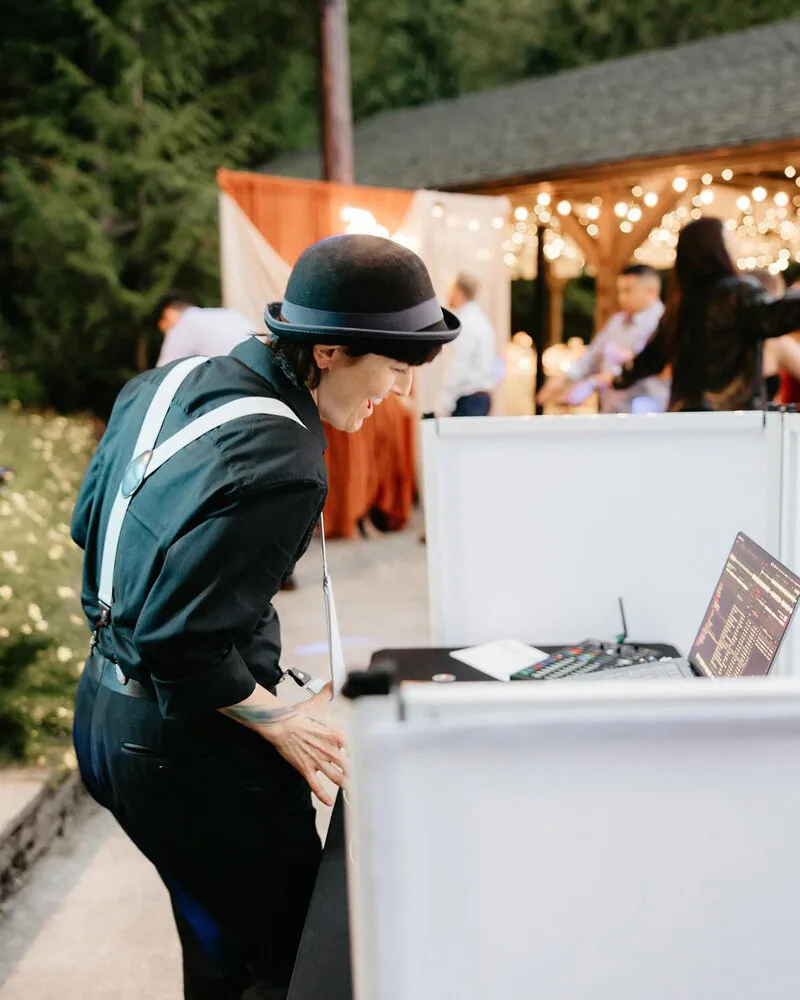
Before your final wedding DJ meeting, complete as much of your Vibo planning app as you can. Review your music choices, important names, timeline, and the spaces you will use. Mark anything you still need help deciding. You do not need to build a complete reception playlist or have every answer ready to make the conversation useful.
For Puget Sounds couples who want a planning meeting, we recommend meeting with DJ Kelli about three to four weeks before the wedding. A face-to-face Zoom meeting is preferred. The meeting is optional: some couples work comfortably through Vibo and email, while others prefer to talk through the plan.
Start with the information already in Vibo
Use Vibo as your main planning record rather than creating a second, competing version of the plan. Complete the sections that apply to your celebration and flag open questions. If you have already filled out the app, you have already done the main preparation work.
The checklist below is a way to review that information. It is not an additional set of required forms.
Check the exact versions of your important songs
A song title alone may leave a choice between the original recording, a live version, an acoustic cover, or a remix. For ceremony entrances, your first dance, and other planned moments, make clear which recording you mean and where it belongs in the event.
You can link a YouTube song directly in Vibo. For a custom mashup or a hard-to-find track, email the material to Puget Sounds or add the sharing link in your Vibo notes. Label the intended moment clearly so we can review the right track.
Still choosing your processional or recessional? Our wedding ceremony music guide can help you organize those decisions.
Share your taste without feeling responsible for every song
Some couples enjoy choosing a detailed playlist. Others want DJ Kelli to build the music around a smaller set of favorites. Both approaches work.
If you want guidance, about five to ten songs you personally enjoy give DJ Kelli a useful starting point. Add your must-play and do-not-play choices, along with any notes about what matters to you. Our wedding music planning guide explains how those preferences shape the reception.
Discuss how you feel about guest requests, too. DJ Kelli considers timing, fit, and your preferences; a request is not a promise that the song will be played. If a choice may conflict with your music direction, DJ Kelli can check with you first.
Review names and announcement wording
Check the names of anyone being introduced or announced. Add pronunciation guidance where it would help, along with preferred titles, relationship descriptions, and wording.
You do not need to follow a traditional introduction format. Tell us which announcements you want and which you would rather skip. Clear wording helps DJ Kelli introduce the people and moments that matter without assuming anyone's identity or family relationships.
If another MC will make announcements in a different language, identify that person's role in the plan. DJ Kelli can coordinate microphone use, music levels, and cues with your chosen MC. Our bilingual reception guide explains those handoffs.
Walk through the timeline and the people giving cues
Review the sequence of the ceremony and reception, including speeches, planned dances, and transitions between spaces. Note which details are confirmed and which still depend on another vendor.
For the moments that need a handoff, identify the planner, photographer, venue contact, or other person involved. DJ Kelli supports music, announcements, formalities, and related vendor timing. That coordination complements your planning team; it does not replace a wedding planner.
The Seattle wedding reception timeline guide is useful if you are still arranging the order. If you are worried about delays, read what happens when a wedding timeline runs late for a real example of adjusting the plan with the couple and photographer.
Confirm where each part of the celebration happens
Review the ceremony, cocktail-hour, and reception locations, along with any indoor alternative you are considering. Separate rooms and outdoor areas can affect where sound needs to reach and how transitions work.
If a space needs a closer look, send a photo or short video. That is the usual starting point for Puget Sounds. An in-person venue walkthrough is available as a paid add-on and is usually unnecessary. Complex layouts and additional sound zones need an event-specific review before we confirm the setup.
Know when to finish your planning
DJ Kelli usually locks Vibo manually on the Monday before the event weekend. Complete your planning before that Monday, preferably earlier, so there is time to prepare. This is not an automatic seven-day deadline.
If you need more time or have a change after the project locks, contact Puget Sounds. Do not assume an app lock means you should leave an important update unmentioned. We can review what has changed and confirm the next step.
Reasonable adjustments may also happen during the event. An extension to the agreed service time needs separate approval; it is not established by adding a later finish time to your notes.
A quick review before the meeting
Complete the applicable Vibo sections and flag unanswered questions.
Check exact recordings for planned music moments.
Review must-play, do-not-play, and guest-request preferences.
Add name pronunciations and preferred announcement wording.
Review the timeline and the people involved in cues.
Confirm the event spaces and share useful photos or video.
Bring your questions, too. The purpose is to make the plan clear enough for DJ Kelli to prepare and to identify anything that still needs a decision.
Learn more about Puget Sounds wedding DJ and MC services, or send Dale the planning question you would like help with.
Before your final wedding DJ meeting, complete as much of your Vibo planning app as you can. Review your music choices, important names, timeline, and the spaces you will use. Mark anything you still need help deciding. You do not need to build a complete reception playlist or have every answer ready to make the conversation useful.
For Puget Sounds couples who want a planning meeting, we recommend meeting with DJ Kelli about three to four weeks before the wedding. A face-to-face Zoom meeting is preferred. The meeting is optional: some couples work comfortably through Vibo and email, while others prefer to talk through the plan.
Start with the information already in Vibo
Use Vibo as your main planning record rather than creating a second, competing version of the plan. Complete the sections that apply to your celebration and flag open questions. If you have already filled out the app, you have already done the main preparation work.
The checklist below is a way to review that information. It is not an additional set of required forms.
Check the exact versions of your important songs
A song title alone may leave a choice between the original recording, a live version, an acoustic cover, or a remix. For ceremony entrances, your first dance, and other planned moments, make clear which recording you mean and where it belongs in the event.
You can link a YouTube song directly in Vibo. For a custom mashup or a hard-to-find track, email the material to Puget Sounds or add the sharing link in your Vibo notes. Label the intended moment clearly so we can review the right track.
Still choosing your processional or recessional? Our wedding ceremony music guide can help you organize those decisions.
Share your taste without feeling responsible for every song
Some couples enjoy choosing a detailed playlist. Others want DJ Kelli to build the music around a smaller set of favorites. Both approaches work.
If you want guidance, about five to ten songs you personally enjoy give DJ Kelli a useful starting point. Add your must-play and do-not-play choices, along with any notes about what matters to you. Our wedding music planning guide explains how those preferences shape the reception.
Discuss how you feel about guest requests, too. DJ Kelli considers timing, fit, and your preferences; a request is not a promise that the song will be played. If a choice may conflict with your music direction, DJ Kelli can check with you first.
Review names and announcement wording
Check the names of anyone being introduced or announced. Add pronunciation guidance where it would help, along with preferred titles, relationship descriptions, and wording.
You do not need to follow a traditional introduction format. Tell us which announcements you want and which you would rather skip. Clear wording helps DJ Kelli introduce the people and moments that matter without assuming anyone's identity or family relationships.
If another MC will make announcements in a different language, identify that person's role in the plan. DJ Kelli can coordinate microphone use, music levels, and cues with your chosen MC. Our bilingual reception guide explains those handoffs.
Walk through the timeline and the people giving cues
Review the sequence of the ceremony and reception, including speeches, planned dances, and transitions between spaces. Note which details are confirmed and which still depend on another vendor.
For the moments that need a handoff, identify the planner, photographer, venue contact, or other person involved. DJ Kelli supports music, announcements, formalities, and related vendor timing. That coordination complements your planning team; it does not replace a wedding planner.
The Seattle wedding reception timeline guide is useful if you are still arranging the order. If you are worried about delays, read what happens when a wedding timeline runs late for a real example of adjusting the plan with the couple and photographer.
Confirm where each part of the celebration happens
Review the ceremony, cocktail-hour, and reception locations, along with any indoor alternative you are considering. Separate rooms and outdoor areas can affect where sound needs to reach and how transitions work.
If a space needs a closer look, send a photo or short video. That is the usual starting point for Puget Sounds. An in-person venue walkthrough is available as a paid add-on and is usually unnecessary. Complex layouts and additional sound zones need an event-specific review before we confirm the setup.
Know when to finish your planning
DJ Kelli usually locks Vibo manually on the Monday before the event weekend. Complete your planning before that Monday, preferably earlier, so there is time to prepare. This is not an automatic seven-day deadline.
If you need more time or have a change after the project locks, contact Puget Sounds. Do not assume an app lock means you should leave an important update unmentioned. We can review what has changed and confirm the next step.
Reasonable adjustments may also happen during the event. An extension to the agreed service time needs separate approval; it is not established by adding a later finish time to your notes.
A quick review before the meeting
Complete the applicable Vibo sections and flag unanswered questions.
Check exact recordings for planned music moments.
Review must-play, do-not-play, and guest-request preferences.
Add name pronunciations and preferred announcement wording.
Review the timeline and the people involved in cues.
Confirm the event spaces and share useful photos or video.
Bring your questions, too. The purpose is to make the plan clear enough for DJ Kelli to prepare and to identify anything that still needs a decision.
Learn more about Puget Sounds wedding DJ and MC services, or send Dale the planning question you would like help with.